Major Stryker
Saves are stored in this browser.
Player notes
About this game
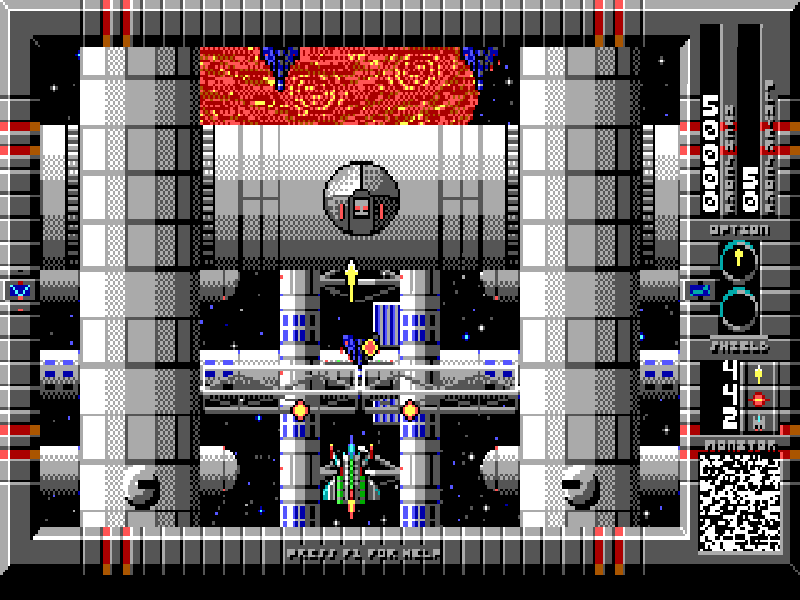
Major Stryker is a vertically scrolling shooter from Apogee Software. Your ship flies through fortified space stations and planetary environments, weaving around incoming fire while destroying enemies ahead. Weapon upgrades and shields change how much danger you can take on before retreating to a clear part of the screen.
The default keyboard controls are the arrow keys to move, Alt to fire and Space to use a zap bomb. Bombs are a separate, limited resource. Captive humans are held in tubes: the original instructions tell you to rescue them by touching the tubes with your ship, rather than firing at them.
Start with Begin New Game, choose the available mission and select a difficulty. The opening briefing leads into the first stage; Enter advances the dialogue. Read the Instructions menu for the different shield types and pickups, including extra lives, speed upgrades and additional zap bombs.
This page runs DOS version 1.4 in the complete freeware edition released by Apogee in March 2006. All three volumes and the publisher's later release notes are included. The older warning screen inside the game predates that freeware release. The game remains copyrighted, and its menus and dialogue are in English.
Start here
Quick tips
Use Alt for ordinary fire and save Space for a crowded screen; zap bombs are limited.
Touch a captive's tube with your ship to rescue them. Shooting the tube will not free them.
Learn the shield icons in Instructions: side shields, spinning shields and bubble shields behave differently.
Press Enter to advance the opening briefing. The ship becomes controllable after the stage finishes loading.
- Arrow keys
- Move the ship
- Alt
- Fire
- Space
- Use a zap bomb
- Enter
- Confirm menus and advance briefing dialogue
- Esc
- Leave help or back out of a menu
- F1
- Open in-game help
Keep playing
Similar Games
Ratings & comments
Help improve this entry
Something not working?
Report a gameplay or information problem. Short reports are enough.
Archive notes
Rights and Source Notes
Browser play is available for this entry.
- Distribution
- Freeware
- Browser player
- js-dos · Browser play
- Added to archive
- 2026-10-26
No comments yet. Be the first to share a tip.