Moraff's Blast I
Saves are stored in this browser.
Player notes
About this game
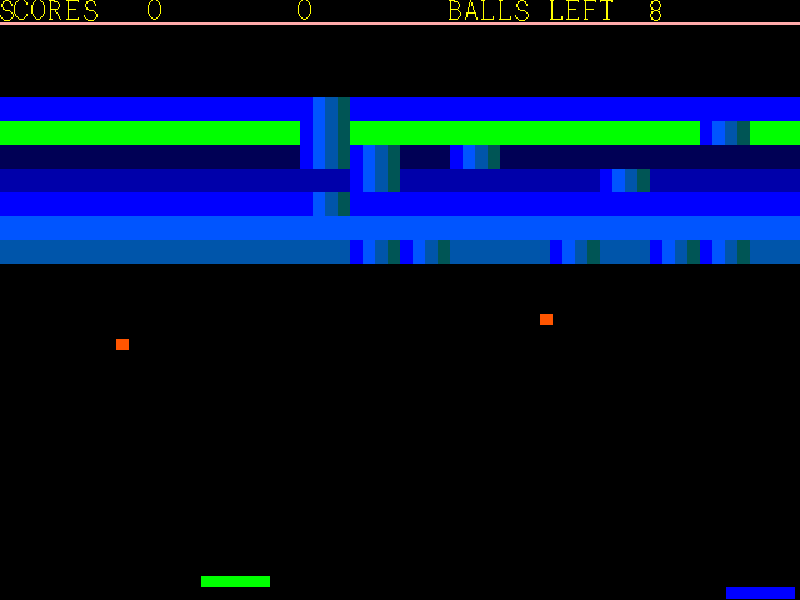
Moraff’s Blast I is Steve Moraff’s DOS paddle-and-ball game. Keep the paddle under the ball, chip away at the wall and watch for blocks that alter the ball or paddle. Some blocks need more than one hit; others speed the ball up, change paddle size or split it into several balls.
At startup choose a display mode; 5 selects ordinary VGA. The Options Menu offers one player, two local players and computer modes. Choose One Player, then press a key on the keyboard or click the mouse when asked which device to use. The Game Select Menu includes Brick Wall, Falling Walls and The Blast Adventure. Read the paddle-control screen before continuing into the selected game.
The cursor-key group controls one paddle, with different rows offering different speeds. E/D/C and T/G/B form the second player’s left/right groups. A mouse can control one paddle instead. This page uses Blast I version 1.1 shareware; the separately registered Blast II with 140 extra screens is not included. The original README, fonts and data remain together in the browser package.
Start here
Quick tips
Choose 5 for VGA, then 1 for One Player. Select your input device when prompted, then choose a game and continue past the control instructions.
Left and Right move the keyboard-controlled paddle. The upper and lower cursor-key rows provide slower and faster movement.
Esc stops play and opens the play-again prompt. Press Y or N as shown. Two-player mode shares this computer; it is not online multiplayer.
- Left / Right
- Move the keyboard-controlled paddle left or right.
- 1 / 2 / 3 / 4 / 5
- Choose the displayed numbered menu option; 5 selects VGA at startup.
- Space
- Continue past the paddle-control instructions.
- Esc
- Stop play and open the play-again prompt.
- Y / N
- Answer the play-again prompt.
- Mouse movement
- Move one paddle after choosing the mouse as its input device.
- Left mouse button
- Choose mouse input when prompted.
Keep playing
Similar Games
Ratings & comments
Help improve this entry
Something not working?
Report a gameplay or information problem. Short reports are enough.
Archive notes
Rights and Source Notes
Browser play is available for this entry.
- Distribution
- Shareware
- Browser player
- js-dos · Browser play
- Added to archive
- 2026-11-04
No comments yet. Be the first to share a tip.