Multiplex
Saves are stored in this browser.
Player notes
About this game
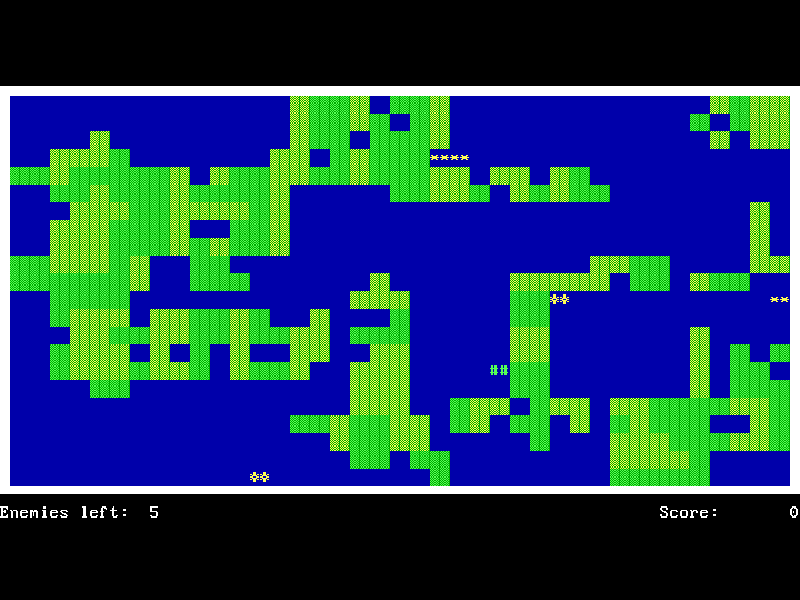
Multiplex is a 2007 DOS action game by Maarten Koornneef of Aestan Software. Colored text characters form walls, enemies and explosions. You move through generated mazes and try to clear every enemy without being caught in the destruction yourself.
The original README describes defeating enemies by crushing or running into them, with the aim of setting off large explosions while surviving. Direction keys control movement; there is no separate fire button. You can continue twice from the level where you died before having to return to level one.
This page runs the original 1.0.1 freeware package with its supplied MXLEVELS.INI level definitions. The browser configuration uses the author-recommended 20,000 DOSBox cycles. The executable, readme, level file and original distribution archive are preserved.
Start here
Quick tips
Wait for the loading bar and animated introduction, then press Enter to start.
Use the four arrow keys to move. Watch the spaces around enemies before committing to a narrow corridor.
S toggles effects, M toggles music and F9 toggles both. The site’s mute button is separate from these original settings.
- Arrow keys
- Move through the maze.
- Enter
- Continue the introduction and start playing.
- S
- Toggle sound effects.
- M
- Toggle music.
- F9
- Toggle all game audio.
- Esc
- Quit the game.
Keep playing
Similar Games
Ratings & comments
Help improve this entry
Something not working?
Report a gameplay or information problem. Short reports are enough.
Archive notes
Rights and Source Notes
Browser play is available for this entry.
- Distribution
- Freeware
- Browser player
- js-dos · Browser play
- Added to archive
- 2026-11-04
No comments yet. Be the first to share a tip.