One Must Fall 2097 (Full Version)
Saves are stored in this browser.
Player notes
About this game
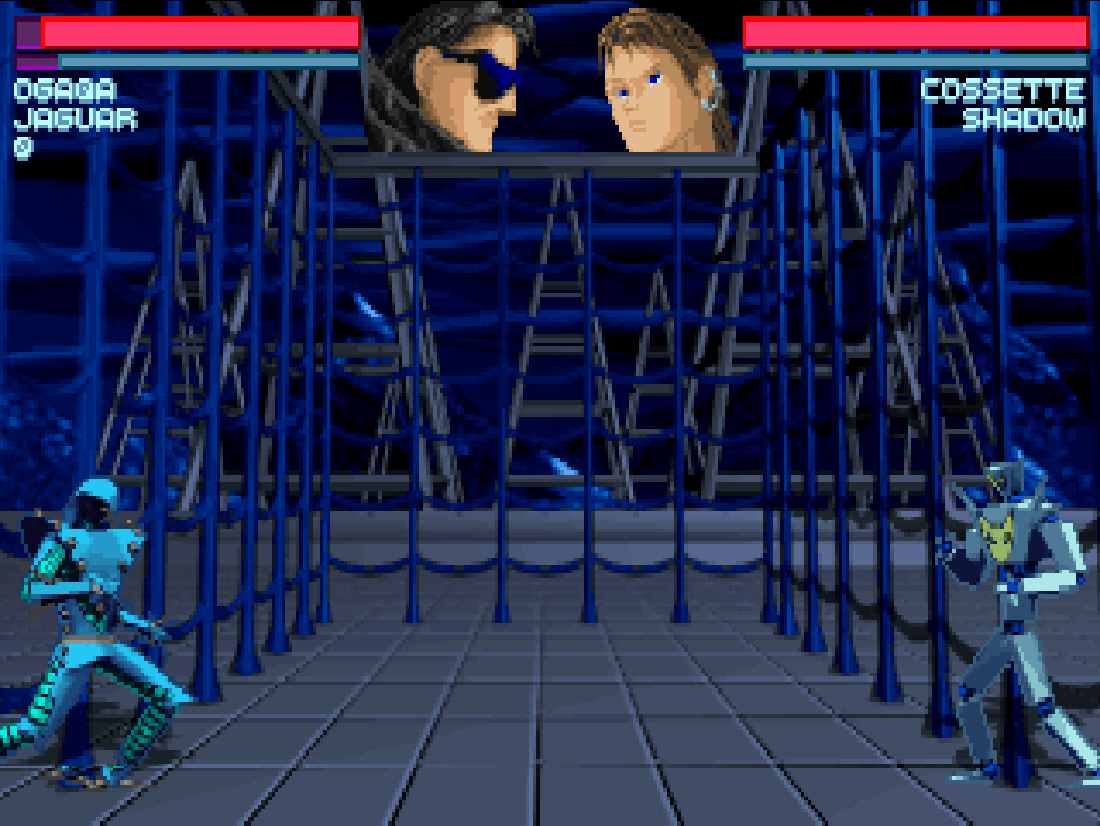
One Must Fall 2097 is Diversions Entertainment’s DOS robot fighter, published by Epic MegaGames in 1994. Pick a pilot and one of 11 robots, then use spacing, blocks and special moves in five arenas.
Choose Regular Game in the launcher, then Tournament Play at the game’s main menu. Use New to name a pilot, choose a portrait and difficulty, and enter a tournament. In the workshop, Arena starts a ranked battle and Sim is a practice match. Buy and Training Courses improve what your robot and pilot can do between fights.
The game writes the tournament pilot to a DOS file. After a match, return to the workshop and use the browser player’s Saves → Save game files before closing the page. When you reopen the game in the same browser, choose Tournament Play → Load and select your pilot.
The browser uses the original registered 2.1 edition released as freeware by Diversions Entertainment. The original artwork and audio files are preserved. This browser configuration runs silently for compatibility.
Start here
Quick tips
Start with the North American Open and learn how far your normal punch and kick reach before buying upgrades.
On a phone, use More keys → Full keyboard to enter a pilot name. Hold the direction pad with one thumb and Punch or Kick with the other.
For a diagonal jump, slide to an upper corner of the pad. Hold Down as you press Kick for a crouching kick. Moving away blocks standing attacks.
After a tournament match, use Saves → Save game files in the player before closing the tab.
- Arrow keys
- Move, jump and crouch. Use directions to navigate the workshop.
- Enter
- Punch or confirm a menu choice.
- Right Shift
- Kick. Hold Down to make it a crouching kick.
- Up + Left / Right
- Jump diagonally.
- Left / Right
- Move away from your opponent to block. Hold Down for a low block.
- P
- Pause the fight.
- Esc
- Open the fight menu or go back.
Keep playing
Similar Games
Ratings & comments
Help improve this entry
Something not working?
Report a gameplay or information problem. Short reports are enough.
Archive notes
Rights and Source Notes
Browser play is available for this entry. Official project references are listed below.
- Distribution
- Diversions freeware (free redistribution)
- Browser player
- js-dos · Browser play
- Added to archive
- 2026-11-17
- Official references
- Source code
- Download open-source code packageSource code only; this is not a game ROM download.
No comments yet. Be the first to share a tip.