Squarez Deluxe
Saves are stored in this browser.
Player notes
About this game
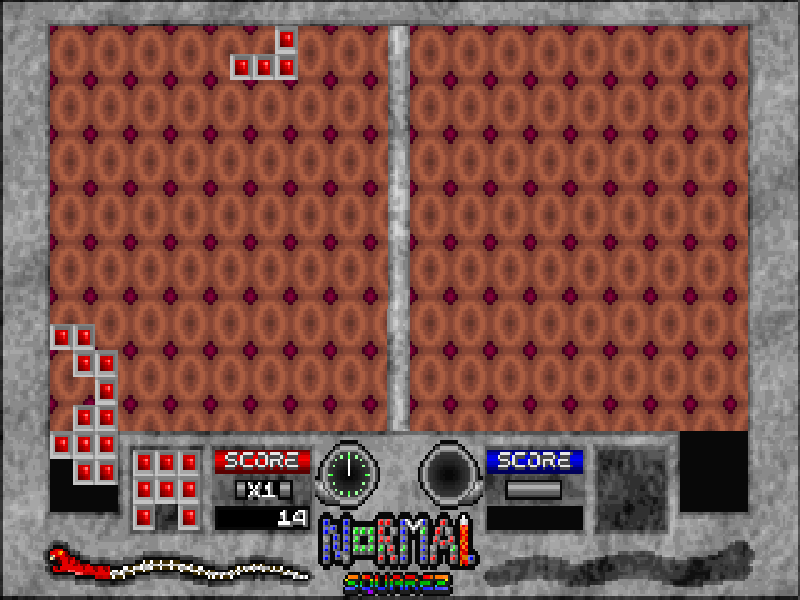
Squarez Deluxe is Adam Pedersen’s DOS block puzzle game, originally released in 1993. Instead of waiting for pieces to fall, you move each piece around the board and choose where to place it. Completing a filled square at least three cells wide and three cells high clears those tiles.
Basic mode keeps the focus on fitting shapes together. Normal and Extreme add special tiles such as bombs and missiles, which activate when included in a completed square. Larger squares improve the score multiplier, while quick placement earns more points.
Use M at the main menu to choose a mode, P to set the number of players, and S to start. In one-player keyboard mode, the arrow keys move the piece, Ctrl rotates it and Alt places it. F1 pauses; F10 returns to the main menu. The original instructions also describe separate controls for two players sharing a keyboard.
This is the final freeware release supplied by the author inside the Jetpack 1.5 package. It is Squarez Deluxe, not the earlier Squarez prototype. The complete distribution package and its original manuals are preserved; this page starts the Deluxe executable directly.
Start here
Quick tips
Choose Basic and one player, move the starting piece up onto the board, then rotate and place it to build a solid 3 × 3 square.
Leave room for awkward shapes instead of scattering small gaps across the board.
Try Normal after learning the basic board: special tiles activate through completed squares and can change your plan.
- Arrow keys
- Move the piece in one-player keyboard mode
- Ctrl
- Rotate the piece in one-player mode
- Alt
- Place the piece in one-player mode
- S
- Start from the main menu
- M
- Change Basic, Normal or Extreme mode in the main menu
- P
- Change the player count in the main menu
- Enter
- Confirm a menu option
- F1
- Pause the game
- F10
- Abort the current game and return to the main menu
- Esc
- Give up the current game
Keep playing
Similar Games
Help improve this entry
Something not working?
Report a gameplay or information problem. Short reports are enough.
Archive notes
Rights and Source Notes
Browser play is available for this entry.
- Distribution
- Freeware
- Browser player
- js-dos · Browser play
- Added to archive
- 2026-10-17